An Internet Service Provider (ISP) is a company that connects homes, businesses, and other organizations to the internet. It provides the network infrastructure and services that allow people to browse websites, send emails, stream videos, attend online meetings, and use cloud applications. In the United States, customers can choose from different internet providers depending on their location, budget, and connection requirements. Some companies deliver internet through fiber-optic cables, while others use cable networks, telephone lines, wireless signals, or satellites. Each technology offers different advantages in speed, reliability, availability, and cost. Understanding how an ISP works can help you select a suitable internet plan and avoid paying for features you do not need. Whether you work remotely, run an online business, study, or simply enjoy streaming, choosing the right provider can make a noticeable difference in your daily internet experience.
What Is an Internet Service Provider (ISP)?
An Internet Service Provider (ISP) is a business that gives customers access to the internet through a wired or wireless network. ISPs connect customer devices to the wider internet and typically offer subscription plans with different speeds, prices, and service conditions.
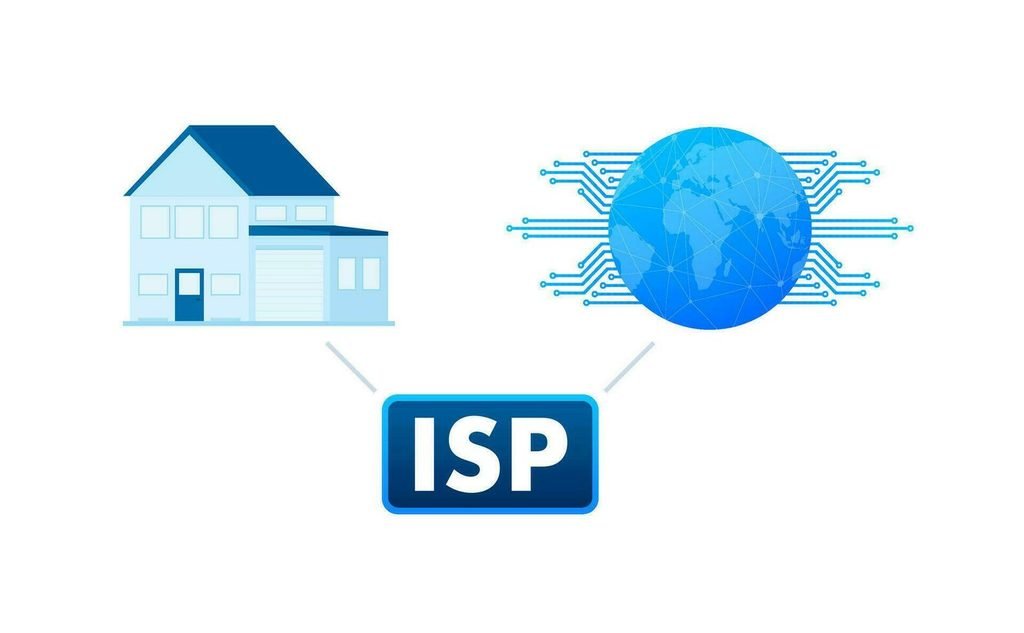
For example, when you subscribe to a home internet plan, your ISP connects your home network to its infrastructure. You can then access websites, online applications, and digital services.
In the United States, well-known internet providers include:
- AT&T.
- Verizon.
- Comcast Xfinity.
- Spectrum.
- T-Mobile.
- Starlink.
Not every provider operates in every state or neighborhood. Availability depends on the network infrastructure serving a particular address.
What Does an ISP Do?
An ISP performs several important functions that make internet access possible.
Internet connectivity: It connects your home or business network to the global internet.
Data transmission: It transfers information between your devices and online servers.
IP address assignment: It provides the IP addressing needed to identify and route network traffic. The exact arrangement depends on the network and service.
Network maintenance: It operates and maintains equipment, connections, and infrastructure.
Customer support: It helps subscribers resolve connection problems, manage accounts, and understand service plans.
Additional services: Some providers also offer email accounts, phone services, security features, television packages, and equipment rentals.
Why Is an Internet Service Provider Important?
An ISP is important because most online activities depend on a working internet connection. The provider’s network quality can affect how quickly websites load, how smoothly videos stream, and how reliably online meetings operate.
A suitable internet provider can support several everyday activities.
- Remote work: Reliable internet helps employees attend video conferences, access company systems, and share files.
- Online education: Students use internet connections to attend virtual classes, research information, and submit assignments.
- Entertainment: Streaming platforms, online gaming, and video services require a stable connection.
- Business operations: Companies depend on internet access for payments, customer communication, cloud software, and online sales.
- Communication: People use messaging applications, email, and video calls to stay connected.
However, a faster plan does not automatically solve every connection problem. Router placement, device limitations, network congestion, and Wi-Fi interference can also affect performance.
How Does an Internet Service Provider Work?
An ISP works by connecting your device or home network to its wider telecommunications network, which then exchanges data with other networks and internet servers.
You can understand the process by following what happens when you open a website.
How the Internet Works: Explained Simply for Beginners
Step-by-Step: How an ISP Connects You to the Internet
1. You connect your device: Your computer, smartphone, or tablet connects to a router through Wi-Fi or an Ethernet cable.
2. Your router forwards the request: The router sends your internet request through the modem or gateway. Some devices combine both functions.
3. Your ISP receives the traffic: Your provider carries the data through its access network and routes it toward the destination.
4. The request reaches the destination: The wider internet delivers the request to the appropriate website or application server.
5. The server responds: The website sends the requested information back through interconnected networks.
6. You receive the result: Your ISP carries the returning data to your home network, and your device displays the website.
For example, when you visit a search engine, your device sends a request through your internet connection. The destination server responds with the information needed to display the search page.
This process happens very quickly, although the time required depends on network conditions, distance, server performance, and latency.
What Is the Difference Between an ISP, Wi-Fi, and the Internet?
These terms are related, but they describe different things.
| Term | Meaning | Main purpose |
| ISP | Internet Service Provider | Supplies internet access |
| Internet | Global network of connected networks | Connects online devices and services |
| Wi-Fi | Wireless networking technology | Connects devices to a local network |
| Modem | Device that connects to an ISP’s access technology | Establishes the internet connection |
| Router | Device that directs network traffic | Shares the connection between devices |
A common misunderstanding is that Wi-Fi and internet are the same thing. Wi-Fi can work locally even when your internet connection is down. For example, two devices may still communicate over a local network without accessing online websites.
What Are the Different Types of Internet Service Providers?
ISPs offer different connection technologies to deliver internet access. The most common options in the United States are fiber, cable, DSL, fixed wireless, mobile broadband, and satellite internet.
Construction of New Fiber-Optic Network • Lisle, IL
Consumers – SB6190: Troubleshoot Internet Connection
Nokia launches high gain 5G Fixed Wireless Access receiver to connect the North American underserved
5
1. Fiber-Optic Internet Providers
Fiber-optic ISPs deliver internet through cables containing thin glass or plastic fibers. These cables transmit information using light signals.
Fiber internet is often an excellent option for households that need fast downloads, fast uploads, and low latency.
Advantages:
- Very fast download and upload speeds.
- Good performance for video conferencing and online gaming.
- Suitable for households with multiple connected devices.
- Often provides symmetrical upload and download speeds.
Limitations:
- Not available at every address.
- Installation may require additional equipment or work.
- Prices and plan options vary by provider.
2. Cable Internet Providers
Cable ISPs deliver internet through coaxial cables, which are also used for cable television services.
Cable internet is widely available in many American communities. It can support streaming, browsing, online gaming, and remote work.
Advantages:
- Broad availability in many urban and suburban areas.
- Generally faster than traditional DSL.
- Offers multiple speed options.
- Often uses existing cable infrastructure.
Limitations:
- Upload speeds may be slower than download speeds.
- Performance can vary with network congestion.
- Equipment and installation charges may apply.
3. DSL Internet Providers
Digital Subscriber Line (DSL) providers deliver internet through traditional copper telephone lines.
DSL can be useful in locations where fiber or cable services are unavailable. However, connection performance depends partly on the distance between the customer’s location and the provider’s network equipment.
Advantages:
- Uses existing telephone infrastructure.
- May be available in smaller communities.
- Can provide a dedicated connection to a household.
Limitations:
- Usually slower than modern fiber connections.
- Speed and performance can decline with distance.
- Availability of new DSL plans varies by location.
4. Satellite Internet Providers
Satellite ISPs provide internet access through communication satellites. Customers generally use a satellite dish or terminal to connect to the provider’s network.
Satellite internet can be particularly useful in rural areas where traditional wired broadband infrastructure is limited.
Advantages:
- Can reach remote and rural locations.
- Does not require a local cable network.
- Useful where other broadband options are unavailable.
Limitations:
- Equipment and installation can be expensive.
- Weather and environmental conditions may affect performance.
- Latency varies by satellite technology and network conditions.
Traditional geostationary satellite connections generally have higher latency than fiber or cable. Low Earth orbit satellite systems can offer lower latency because their satellites operate closer to Earth.
5. Fixed Wireless Internet Providers
Fixed wireless ISPs send internet signals from a nearby transmission tower or access point to equipment installed at a customer’s home or business.
This technology provides broadband without requiring a physical cable connection between the provider’s network and the customer’s building.
Advantages:
- Useful in rural and suburban communities.
- Can be quicker to deploy than wired infrastructure.
- Does not require a traditional cable connection to the home.
Limitations:
- Signal quality depends on location and network conditions.
- Buildings, trees, and other obstacles can affect reception.
- Availability depends on local coverage.
6. Mobile Broadband Providers
Mobile broadband providers use cellular networks to deliver internet access through smartphones, mobile hotspots, and compatible wireless routers.
These services commonly use 4G LTE and 5G technology.
Advantages:
- Provides internet access while traveling.
- Does not always require a traditional home broadband installation.
- Useful for temporary internet requirements.
- Can provide an alternative where wired service is unavailable.
Limitations:
- Coverage varies by location.
- Data allowances and network management policies may affect usage.
- Performance can change with signal strength and network congestion.
Comparison of Different ISP Connection Types
Choosing the right internet technology depends on your location, online activities, and budget. The following table provides a practical comparison.
| Connection type | Speed potential | Reliability considerations | Best suited for |
| Fiber | Very high | Generally stable | Heavy internet use and remote work |
| Cable | High | Congestion may affect performance | Streaming and everyday browsing |
| DSL | Low to moderate | Depends on line quality and distance | Basic internet activities |
| Satellite | Varies by technology | Weather and network conditions | Rural and remote locations |
| Fixed wireless | Moderate to high | Depends on signal and coverage | Areas without wired broadband |
| Mobile broadband | Varies by cellular network | Depends on signal and congestion | Travel and flexible connectivity |
Note: These are general comparisons, not guaranteed performance levels. Actual speeds and reliability depend on the provider, equipment, plan, and location. The FCC’s National Broadband Map identifies these major fixed broadband technologies.
What Should You Consider When Choosing an ISP?
Choosing an ISP requires more than comparing advertised download speeds. You should evaluate total costs, connection performance, availability, customer support, and contract conditions.
Here are seven important factors to consider.
1. Check Internet Availability
Start by checking which providers serve your home or business address. An ISP may advertise services in your city without offering them in every neighborhood.
For US consumers, the FCC National Broadband Map is a useful starting point. It allows you to enter an address and review reported providers, technologies, and advertised speeds.
BDC Help Center
2. Compare Download and Upload Speeds
Download speed measures how quickly your device receives data. Upload speed measures how quickly it sends data.
Both matter. Download speed supports streaming and browsing, while upload speed is important for video meetings, cloud backups, and sharing large files.
3. Understand Latency
Latency measures the time data takes to travel between your device and another point on the network.
Lower latency is particularly important for online gaming, live communication, and applications that require quick responses.
A plan with high download speed can still provide a poor gaming experience if latency is consistently high.
4. Review Monthly Prices and Additional Fees
Look beyond promotional prices when comparing internet plans.
Check for:
- Regular monthly subscription costs.
- Promotional pricing and expiration dates.
- Equipment rental charges.
- Installation and activation fees.
- Applicable taxes and additional fees.
- Early cancellation charges, if applicable.
In the United States, FCC Broadband Facts labels help consumers compare important plan information. The FCC modified certain label requirements in 2026, with the relevant rule changes generally effective September 14, 2026, subject to an exception. Check the current label and provider terms rather than relying on older descriptions of the requirements.
5. Check Data Allowances
Some internet plans include data limits or usage policies. Other plans advertise unlimited data, subject to their service terms.
If your household regularly streams videos, downloads large files, or uses cloud services, check how the provider handles data usage and any restrictions.
6. Read Customer Reviews Carefully
Customer reviews can help you understand common service experiences. However, one person’s experience does not necessarily represent the provider’s performance in your neighborhood.
Look for repeated feedback about outages, billing problems, technical support, and connection reliability.
7. Evaluate Customer Support
A good ISP should provide accessible support when your internet connection stops working.
Check whether the company offers phone support, online chat, troubleshooting resources, and clear outage information.
Practical Examples: How to Choose the Right Internet Provider
Your internet requirements depend on how you use the connection. These examples show how different households can approach the decision.
Example 1: A Family That Uses Multiple Devices
Imagine a family with four members. One person works remotely, two children attend online classes, and another family member regularly streams movies.
This household should prioritize sufficient download and upload speeds, reliable performance, and a plan that supports several devices at once.
Fiber would be worth comparing if available. A suitable cable plan may also meet the household’s needs.
Example 2: A Person Living in a Rural Area
Consider someone living outside a major US city where fiber and cable services are unavailable.
The person could compare fixed wireless and satellite internet providers. The decision should depend on actual address-level coverage, equipment costs, latency, data policies, and available speeds.
This example demonstrates why the fastest advertised technology is not always the most practical option.
Common Mistakes to Avoid When Selecting an ISP
Many customers choose internet plans based on price or advertised speed alone. This can lead to unnecessary expenses or disappointing performance.
Avoid these common mistakes:
- Choosing the cheapest plan automatically: A low price may come with limited speeds or additional fees.
- Ignoring upload speeds: This can cause problems with video meetings and file sharing.
- Overlooking promotional pricing: Your monthly bill may increase after an introductory period.
- Ignoring equipment requirements: An outdated router may limit the performance of a fast internet plan.
- Not checking availability: Advertised services may not reach your exact address.
- Assuming Wi-Fi problems are always ISP problems: Weak wireless coverage can exist even when the internet connection is working correctly.
- Ignoring contract conditions: Early termination fees and other restrictions can make switching providers more expensive.
Best Practices for Getting Better Internet Performance
You can improve your internet experience by choosing an appropriate plan and maintaining your home network.
Follow these practical recommendations:
- Place your Wi-Fi router in a central, open location.
- Use a modern router that supports your internet plan.
- Connect desktop computers and gaming consoles through Ethernet when practical.
- Keep router firmware updated.
- Restart networking equipment when troubleshooting requires it.
- Run speed tests using a wired connection when possible.
- Contact your ISP if performance remains consistently below the expected level.
Remember that your internet speed test measures the connection under particular conditions. Device limitations, Wi-Fi interference, and network congestion can affect the result.
Useful Tools and Resources for Comparing ISPs
You do not need specialist knowledge to compare internet providers. Several tools can help you understand availability, performance, and service conditions.
| Tool or resource | How it helps |
| FCC National Broadband Map | Checks reported broadband availability by address |
| Ookla Speedtest | Measures download speed, upload speed, and latency |
| Federal Communications Commission | Provides broadband consumer information and regulatory resources |
| Provider Broadband Facts labels | Helps compare prices, speeds, data allowances, and plan conditions |
| Provider outage pages | Provides information about reported service interruptions |
The FCC map reports availability information supplied by providers. It does not guarantee actual network performance or affordability at a particular address.
BDC Help Center+1
Frequently Asked Questions About Internet Service Providers
1. What is an Internet Service Provider (ISP)?
An Internet Service Provider (ISP) is a company that provides internet access to homes, businesses, and organizations. It connects customers to the internet through technologies such as fiber, cable, DSL, wireless, and satellite. Customers usually pay a monthly subscription based on their selected internet plan and service conditions.
2. How do I find my Internet Service Provider?
You can identify your ISP by checking your internet bill, account information, or provider’s mobile application. You can also search for your public IP address using an online IP lookup service. These services often display the organization associated with your internet connection.
3. What are the most common types of ISPs?
The most common ISP categories include fiber-optic, cable, DSL, satellite, fixed wireless, and mobile broadband providers. Each uses different technology to deliver internet access. Availability, speed, latency, and pricing depend on the provider and your location.
4. What is the fastest type of internet connection?
Fiber-optic internet generally offers the highest performance among widely available residential wired broadband technologies. It can provide very fast download and upload speeds with low latency. However, actual performance depends on the provider’s network, service plan, equipment, and local infrastructure.
5. What is the difference between an ISP and Wi-Fi?
An ISP provides the connection between your home or business and the internet. Wi-Fi is a wireless technology that allows devices to connect to your local network. Your Wi-Fi can remain active even when your ISP’s internet connection is temporarily unavailable.
6. Can I change my Internet Service Provider?
Yes. You can usually change your ISP when another provider offers service at your address. Before switching, compare available plans, installation requirements, equipment costs, contract conditions, and cancellation fees. Arrange the new connection before disconnecting your existing service to avoid unnecessary internet interruptions.
7. How much does an Internet Service Provider cost?
Internet service costs vary depending on the provider, connection technology, speed, location, and subscription terms. Some providers offer introductory discounts, while others charge additional equipment or installation fees. Check the regular monthly price and applicable charges before purchasing a plan.
8. How do I choose the best ISP for my home?
Start by checking which providers serve your address. Compare download speeds, upload speeds, latency, reliability, monthly prices, data allowances, and customer support. Select a connection that meets your household’s actual requirements rather than automatically choosing the most expensive or fastest advertised plan.
Conclusion: Choose an Internet Service Provider That Meets Your Needs
An Internet Service Provider (ISP) plays an important role in connecting people, homes, and businesses to online services. Understanding how ISPs work and the different connection technologies can help you make a better purchasing decision.
Fiber, cable, DSL, satellite, fixed wireless, and mobile broadband each offer different benefits. The right option depends on your location, internet usage, budget, and performance expectations.
Before choosing a provider, compare available plans, check actual service availability, review additional charges, and understand the contract conditions. Use reliable resources such as the FCC National Broadband Map to investigate your options.
The best Internet Service Provider is not necessarily the company offering the highest advertised speed. It is the provider that delivers suitable performance, dependable service, and reasonable overall costs for your needs.
Step 3: On-Page and Technical SEO Output
1. SEO title and meta description
SEO title (under 60 characters):
Internet Service Provider (ISP): How It Works
Meta description (under 155 characters):
Learn what an Internet Service Provider (ISP) is, how it works, its types, and how to choose the right internet provider for your needs.
2. URL slug
internet-service-provider-isp
3. Alternative SEO title options
- What Is an ISP? Types, Meaning, and How It Works
- Internet Service Providers: A Complete Beginner’s Guide
- How Does an Internet Service Provider Work?
4. Suggested images with descriptive alt text
Understanding Network Devices – DEV Community
Image 1: How an ISP Works
Alt text: How an internet service provider connects home devices to the internet.
ВОЛС: что это такое, как работает и где применяется волоконно-оптическая связь
Image 2: Fiber Internet Technology
Alt text: Fiber-optic cables used by internet service providers to deliver broadband.
Satellite Internet vs. Broadband: Is There a Difference? | Hughesnet®
Image 3: Types of Internet Connections
Alt text: Different internet connection technologies including fiber, cable, DSL, and satellite.
Modem vs Router: differenze, funzioni e perché separarli – Confrontly
Image 4: Home Internet Equipment
Alt text: Home internet modem and Wi-Fi router used to connect multiple devices.
5. JSON-LD Schema Markup
Add the following structured data to the page after replacing the placeholder website, author, and image information with actual published details.
